
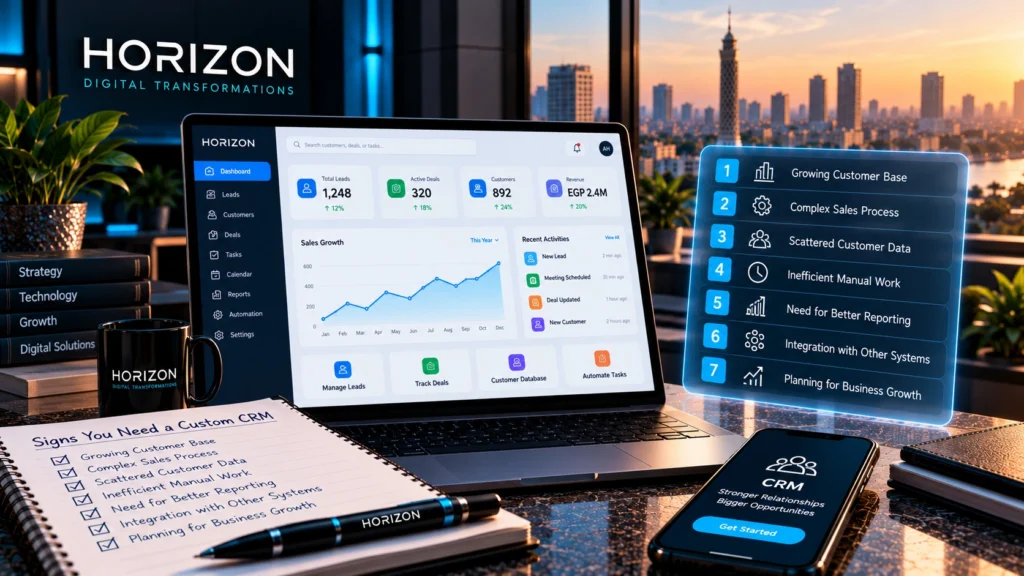
Your sales team receives inquiries through WhatsApp, phone calls, website forms, and social media. Customer details are saved in spreadsheets, conversations stay on individual employees’ devices, and follow-ups depend on someone remembering to make them.
At first, this might seem manageable.
But as your business grows, small gaps in communication can become missed opportunities, duplicated work, and frustrated customers.
You may start wondering whether your company needs a better customer relationship management system—or whether it’s time to build something specifically for your operations.
A custom CRM system can help businesses organize customer information, manage sales processes, and connect important workflows in one place.
However, custom development isn’t always necessary. Many companies can solve their problems with an existing CRM platform.
So how do you know when your business has outgrown its current tools?
Here are seven practical signs to look for, along with guidance on deciding whether a custom CRM is the right investment.
What Is a Custom CRM System?
A Customer Relationship Management (CRM) system helps businesses organize and manage interactions with leads, customers, and existing accounts.
Depending on its features, a CRM can support activities such as:
- Recording customer information and communication history
- Tracking inquiries and sales opportunities
- Assigning leads to sales representatives
- Scheduling follow-ups and reminders
- Managing sales pipelines
- Monitoring team activities
- Generating reports
- Connecting customer information with other business tools
A custom CRM system is designed or developed around a company’s specific requirements rather than relying entirely on the standard features of an existing CRM product.
For example, a real estate business may need to connect property availability, customer preferences, sales representatives, and viewing appointments.
A B2B distributor may need to connect customer accounts, quotations, approval processes, and inventory availability.
Both businesses need customer management, but their daily workflows can be very different.
That doesn’t mean either company automatically needs custom software. The decision depends on whether an existing platform can support those workflows effectively.
1. Your Customer Information Is Scattered Across Different Tools
One of the earliest warning signs is not knowing where the latest customer information lives.
Your sales team might use spreadsheets to track inquiries, WhatsApp for conversations, email for quotations, and separate documents for follow-up notes.
Each tool serves a purpose, but important information can become fragmented.
Imagine a customer contacting your company for a quotation.
One employee records the inquiry in Excel. Another discusses the requirements on WhatsApp. A manager receives an updated quotation by email.
A week later, nobody is completely sure which quotation is the latest or who should follow up.
How a CRM Can Help
A CRM can create a central customer record containing relevant contact details, opportunities, assigned employees, activities, and communication notes.
Depending on the integrations and permissions available, it may also connect information from different channels.
The goal is to give authorized employees a consistent view of the customer relationship.
When Custom Development Makes Sense
A standard CRM may be enough if you simply need to organize contacts and sales activities.
Custom development becomes more relevant when your company needs unusual data structures, specialized workflows, or integrations that existing platforms cannot support efficiently.
Ask yourself: Can our team find the information needed to serve a customer without searching through several disconnected systems?
If the answer is frequently no, your customer management process deserves attention.
2. Your Sales Team Is Missing Follow-Ups and Losing Track of Leads
Generating leads is only one part of sales.
Your business also needs a reliable way to qualify inquiries, assign responsibilities, prepare quotations, and follow up at the right time.
Without a structured process, leads may be forgotten or handled inconsistently.
For example, a potential customer requests a service quotation through your website.
The inquiry reaches a shared email inbox, but nobody is clearly responsible for responding.
Another employee follows up three days later without knowing that a colleague already contacted the customer.
These situations can create unnecessary delays and a poor customer experience.
How a CRM Can Help
A CRM can support a structured sales process with:
- Lead assignment
- Opportunity stages
- Follow-up reminders
- Activity records
- Task ownership
- Pipeline views
- Notifications for overdue actions
Instead of relying entirely on individual memory, your team can follow a defined process.
When Custom Development Makes Sense
Many ready-made CRMs already provide these features.
A custom CRM may be worth considering when your lead-handling process involves specialized assignment rules, several departments, complex approvals, or business-specific sales stages.
For example, a company may need leads to move through technical evaluation, pricing approval, contract review, and project handover.
If standard CRM workflows cannot accommodate these steps without significant workarounds, a tailored solution may be more appropriate.
Ask yourself: Do we have a reliable process for ensuring every qualified inquiry receives the right follow-up?
3. Your Employees Spend Too Much Time on Repetitive Manual Work
Not every business problem is caused by missing information.
Sometimes the problem is that employees must repeatedly enter the same information into different systems.
A sales representative may create a customer record, prepare a quotation in another application, update a spreadsheet, and then send the same information to the operations team.
As order volumes increase, these repetitive tasks consume more time and introduce opportunities for mistakes.
How a CRM Can Help
A well-designed CRM can reduce unnecessary manual steps through workflow automation.
Depending on your requirements, it may support:
- Automatic lead assignment
- Follow-up task creation
- Quotation workflows
- Status updates
- Approval requests
- Customer notifications
- Data synchronization with connected systems
For example, when a quotation is approved, the CRM might create a handover task for the responsible department.
This can improve consistency without requiring employees to repeat the same administrative steps.
When Custom Development Makes Sense
A ready-made CRM may already include suitable automation tools.
Custom development becomes more attractive when automation depends on your company’s specific operational rules or requires deeper connections with internal systems.
However, automating a poorly defined process can create new problems.
Before building software, identify which steps are genuinely repetitive, which decisions require human approval, and where errors currently occur.
Ask yourself: How much time does our team spend copying information, updating statuses, or repeating the same administrative tasks?
4. Your Sales Process Doesn’t Fit Standard CRM Workflows
Many CRM platforms are built around familiar sales stages, such as:
Lead → Contacted → Proposal → Negotiation → Won or Lost.
This structure works well for many businesses.
But not every company sells in the same way.
Consider a business providing technical equipment.
A sales opportunity may require an initial inquiry, site assessment, technical specifications, supplier confirmation, pricing approval, and installation scheduling.
A property developer may need to manage unit availability, reservation status, payment plans, and contract stages.
A professional services company may need to connect proposals with project delivery and recurring client agreements.
Trying to force these processes into unsuitable workflows can lead to excessive manual work or complicated workarounds.
How a Custom CRM Can Help
A custom CRM can be designed around the actual stages, responsibilities, and rules used by your business.
It may include specialized records, approval paths, dashboards, and role-based permissions.
However, it’s important to distinguish between genuine business requirements and habits that could be simplified.
A process being different doesn’t automatically mean it should be preserved exactly as it is.
Sometimes improving the process is more valuable than customizing the software.
Ask yourself: Are we adapting our business to fit the software, or is the software supporting the way our business needs to operate?
5. You Can’t Get a Clear Picture of Sales Performance
Business owners and managers need reliable information to make decisions.
But when customer and sales data is spread across different tools, preparing reports can become a manual exercise.
You may struggle to answer questions such as:
- How many new inquiries did we receive this month?
- Which lead sources generate qualified opportunities?
- How many quotations are waiting for approval?
- Which sales opportunities have not been followed up?
- Where do opportunities typically stall?
- How is each sales team or branch performing?
Without consistent data, managers may spend more time collecting numbers than understanding what they mean.
How a CRM Can Help
A CRM can organize sales information into reports and dashboards.
Depending on the system, you may be able to monitor:
- Lead volume and sources
- Pipeline value
- Opportunity stages
- Follow-up activities
- Sales conversion rates
- Team performance
- Customer history
These reports can help identify operational problems and opportunities for improvement.
When Custom Development Makes Sense
Standard CRM platforms often provide useful reporting features.
Custom development may be justified when your business needs highly specific metrics, combines data from several internal systems, or uses specialized approval and operational processes.
For example, management may need to compare sales opportunities against inventory availability, project capacity, or branch-specific performance.
But dashboards are only as reliable as the information entered into the system.
Clear data definitions, employee training, and consistent usage are essential.
Ask yourself: Can we answer our most important sales questions using reliable, up-to-date information?
6. Your CRM Needs to Work With Other Business Systems
For some companies, customer management is closely connected to the rest of the business.
Sales teams need inventory information before confirming orders.
Finance teams need approved quotations and payment details.
Operations teams need project or delivery information after a deal is completed.
If these systems don’t communicate, employees may have to transfer information manually.
This can cause delays, inconsistencies, and avoidable mistakes.
Common CRM Integration Requirements
A business may need its CRM to communicate with:
- ERP systems
- Inventory management software
- Accounting platforms
- E-commerce websites
- Customer support tools
- Appointment or booking systems
- Internal project management applications
For example, an online retailer may want customer inquiries and order-related information to be accessible to its support team.
A B2B supplier may need its sales team to check product availability before preparing a quotation.
When Custom Development Makes Sense
Before commissioning a custom CRM, check whether existing platforms offer suitable integrations, APIs, or automation connectors.
Custom development may become more appropriate when integrations are unusually complex, involve legacy software, or require specialized business rules.
Integration projects also need careful planning around data quality, access permissions, reliability, and ongoing maintenance.
Ask yourself: How often does information need to move between our customer management process and other business systems?
7. Your Business Is Growing, but Your Current Process Isn’t Scaling
A process that works for three employees may become difficult to manage with thirty.
As a company grows, more people need access to information, responsibilities become more specialized, and management requires greater visibility.
You may add new sales representatives, departments, branches, or service lines.
Suddenly, questions that were easy to answer become more complicated.
Who owns this customer account?
Which branch is responsible for the inquiry?
Who approved the quotation?
Which employees should have access to sensitive customer information?
What happens when an employee leaves the company?
How a CRM Can Help
A CRM can provide a more structured approach to customer management through:
- Defined user roles
- Access permissions
- Shared customer records
- Consistent sales workflows
- Activity tracking
- Centralized reporting
- Standardized processes across teams
These capabilities can support growth without relying entirely on informal communication.
When Custom Development Makes Sense
Custom development may be appropriate when your organizational structure, permissions, approval rules, or workflows are difficult to accommodate within an existing system.
However, business growth alone isn’t a reason to build a custom CRM.
Many established CRM platforms support large teams and complex operations.
The decision should be based on your requirements, not simply your employee count.
Ask yourself: Will our current customer management process still work if our team, customer base, or number of branches grows significantly?
Quick Assessment: Does Your Business Need a Better CRM?
Use the following checklist to review your current situation.
| Business Challenge | Yes / No |
|---|---|
| Customer information is scattered across multiple tools | ☐ |
| Leads or follow-ups are regularly missed | ☐ |
| Employees repeatedly enter the same information | ☐ |
| Standard CRM workflows don’t fit our operations | ☐ |
| Management struggles to access reliable sales reports | ☐ |
| Customer management requires complex system integrations | ☐ |
| Our current processes are becoming difficult to scale | ☐ |
If you answered yes to several questions, your business may benefit from improving its customer management system.
But this isn’t a diagnostic score.
It doesn’t automatically mean you need custom development.
The next step is to identify the problems, assess their business impact, and compare the available solutions.
Custom CRM vs Ready-Made CRM: Which Should You Choose?
Once you’ve identified the challenges, you have an important decision to make.
Should you adopt an existing CRM platform or develop a custom system?
Both approaches have advantages.
Ready-Made CRM Software
An existing CRM platform may be the better choice when:
- Your sales process follows common workflows.
- You need standard contact and opportunity management.
- You want to start using the system relatively quickly.
- Available integrations meet your requirements.
- Subscription costs are acceptable.
- Your team can work effectively within the platform’s configuration options.
Ready-made systems can reduce the need to build and maintain common functionality from scratch.
However, you should evaluate subscription pricing, user limits, available integrations, data portability, and the cost of additional features.
Custom CRM Development
A custom CRM may be more appropriate when:
- Your workflows are genuinely specialized.
- Existing systems require extensive workarounds.
- You need unusual data structures or approval rules.
- Your CRM must integrate deeply with internal applications.
- Your business has specific reporting or permission requirements.
- The long-term benefits justify development and maintenance costs.
Custom development provides greater control over the system’s design and functionality.
But it also requires a larger commitment to planning, testing, maintenance, and future improvements.
Comparison at a Glance
| Consideration | Ready-Made CRM | Custom CRM |
|---|---|---|
| Initial implementation | Often faster for standard requirements | Depends on development scope |
| Upfront cost | Often lower for basic implementations | Typically higher |
| Business-specific workflows | Configurable within platform limits | Designed around requirements |
| Integrations | Depends on available APIs and connectors | Can be developed for supported systems |
| Ongoing costs | Subscriptions, add-ons, administration | Hosting, maintenance, support, development |
| Control over functionality | Limited by the vendor’s platform | Greater control over developed features |
| Best fit | Common CRM requirements | Specialized operational requirements |
If you’re comparing custom software with an existing product more broadly, our guide to custom business software vs off-the-shelf software explains the trade-offs in greater detail.
How Much Does a Custom CRM System Cost?
There’s no single price that applies to every custom CRM project.
The cost depends on what the system needs to do and how it will be used.
A relatively straightforward internal CRM with customer records, a sales pipeline, and basic reporting is different from a platform connecting multiple departments, branches, and external applications.
The most important cost factors include:
Features and workflows: How many processes, screens, and business rules need to be developed?
User roles and permissions: Do different teams require different levels of access?
Integrations: Which external systems need to exchange data, and how complex are their APIs?
Data migration: Will existing customer information need to be cleaned and imported?
Reporting: Are standard dashboards enough, or do you need specialized business metrics?
Testing and deployment: What testing, hosting, and rollout arrangements are required?
Ongoing support: Who will maintain the system, resolve issues, and develop future improvements?
Rather than starting with an arbitrary price, define the business requirements and request a quotation based on an agreed scope.
A well-defined first version can also help you prioritize essential features before investing in more advanced functionality.
What Should Your Custom CRM Include?
The right features depend on your business.
However, many CRM projects begin with a core set of capabilities.
Customer and Lead Management
A central place to manage customer details, inquiries, assigned employees, and relevant history.
Sales Pipeline Management
A structured view of opportunities and their progress through your sales process.
Tasks and Follow-Up Reminders
Clear responsibilities and reminders to help employees manage customer interactions.
Roles and Permissions
Appropriate access controls so employees can use the information required for their work.
Reporting and Dashboards
Relevant information that helps management monitor activity and performance.
Integration Capabilities
Connections with other systems where they provide meaningful operational value.
Data Protection and Recovery
Appropriate security controls, backups, and recovery arrangements based on the sensitivity of the information and the system’s requirements.
Not every feature needs to be included in the first release.
A focused initial version is often easier to test, introduce to employees, and improve based on actual usage.
Before Building a Custom CRM, Ask These 8 Questions
Before investing in development, make sure you can answer the following:
- What specific problems are we trying to solve? Identify operational issues rather than beginning with a list of desired features.
- Which employees and departments will use the system? Understand their responsibilities and daily workflows.
- Which processes should be standardized or improved? Avoid automating inefficient practices without reviewing them.
- What information do we need to manage? Define customer records, opportunities, activities, and other important data.
- Which existing systems must be connected? Identify essential integrations and their technical limitations.
- What reports will help us make better decisions? Prioritize actionable information over decorative dashboards.
- What can be included in the first version? Separate essential requirements from future improvements.
- Who will manage the system after launch? Plan for training, access administration, maintenance, and support.
Clear answers will help you evaluate whether custom development is justified and make it easier to compare proposals.
Common Mistakes to Avoid When Introducing a CRM
Even a technically capable CRM can fail to deliver value if implementation is poorly planned.
One common mistake is focusing on features without understanding how employees will use them.
Another is migrating incomplete or inconsistent customer information into the new system.
Businesses may also underestimate training, integration testing, and the effort required to change established working habits.
To reduce these risks:
- Involve the employees who use customer information every day.
- Define essential workflows before development or configuration.
- Review and clean existing data.
- Establish appropriate access permissions.
- Test important scenarios before rollout.
- Provide training and clear internal responsibilities.
- Collect feedback after launch.
A CRM should make everyday work easier, not simply add another system employees are expected to update.
How HORIZON Can Help With Custom Business Systems
At HORIZON For Digital Transformations, we develop custom business systems around the operational requirements of different organizations.
That starts with understanding the workflows, information, and business challenges the system needs to address.
For companies considering a custom CRM, the discussion should begin with questions such as:
- How are customer inquiries currently managed?
- Where do delays or repeated tasks occur?
- Which departments need access to customer information?
- What existing systems need to be connected?
- Which features are essential for the initial version?
These questions help establish whether a tailored solution is appropriate and what its scope should include.
Explore our Custom Business Systems services to learn more about developing software around your business requirements.
Frequently Asked Questions
What is the difference between a CRM and a custom CRM?
A CRM is software used to manage customer relationships, leads, and related activities. A custom CRM is developed or tailored around specific business requirements, workflows, integrations, or data structures.
Does every growing business need a custom CRM?
No. Many growing businesses can manage customer relationships effectively using existing CRM platforms. Custom development is more relevant when standard solutions cannot meet important operational requirements efficiently.
Can a custom CRM integrate with WhatsApp and other business tools?
Potentially, yes. Integration depends on the supported APIs, provider requirements, permissions, and technical feasibility. For WhatsApp, businesses should evaluate supported official business-platform integrations rather than assume unrestricted access to personal conversations.
Is a custom CRM better than Excel?
A CRM can provide structured records, shared workflows, access controls, and reporting that may be difficult to manage consistently through spreadsheets. However, a small business with simple requirements may not need a custom CRM immediately.
How long does it take to develop a custom CRM?
Development time depends on the project’s features, workflows, integrations, data migration, testing requirements, and approval process. A focused first release may take substantially less time than a complex system serving multiple departments.
Can we move our existing customer data into a new CRM?
Often, yes. The process depends on the quality, format, ownership, and accessibility of your existing data. Data should be reviewed, cleaned, and migrated with appropriate safeguards.
Can a custom CRM grow with our business?
A custom CRM can be designed to support future changes, but scalability depends on its architecture, implementation, infrastructure, and ongoing maintenance. Future requirements should be considered during planning without overbuilding the initial version.
Final Thoughts: The Right CRM Should Solve Real Business Problems
A custom CRM system isn’t a requirement for every company.
But when customer information is fragmented, follow-ups are unreliable, manual work keeps increasing, and existing tools cannot support your processes, it may be time to rethink how your business manages customer relationships.
Start by identifying the problems.
Then determine whether an existing CRM can solve them or whether your requirements justify a custom solution.
The goal isn’t to own more software.
It’s to give your team a better way to manage customers, coordinate work, and support business growth.
Is your current customer management process holding your business back?
Tell HORIZON about your workflows, challenges, and requirements. We can discuss the type of business system that makes sense for your operations.
